
How to Run Ads on Google to Rent a House Successfully
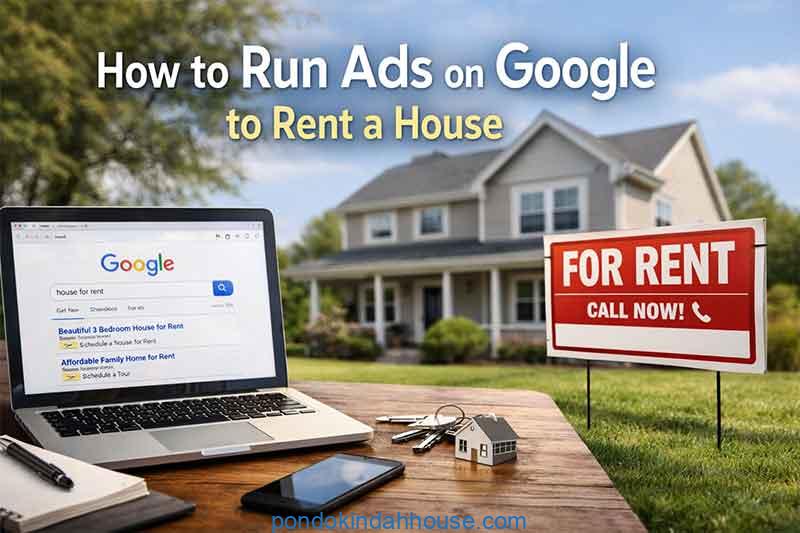
Running ads on Google is one of the fastest and most effective ways to rent out a house. Whether you are a private homeowner, a property investor, or a small landlord, Google Ads allows you to reach people who are actively searching for rental properties right now.
This guide will walk you through how to run ads on Google to rent a house step by step. It is written for beginners and non-technical users, but it also includes practical strategies used by experienced marketers. By the end of this article, you will understand how to set up profitable Google Ads, avoid costly mistakes, and attract serious renters instead of casual browsers.
Why Google Ads Works So Well for Renting a House
Google Ads is different from social media ads. On platforms like Facebook or Instagram, people scroll for entertainment. On Google, people search with intent.
When someone types phrases like “house for rent near me” or “3 bedroom house for rent in Austin,” they are already motivated. Your ad appears at the exact moment they are looking.
This is why learning how to run ads on Google to rent a house can dramatically reduce vacancy time and improve the quality of inquiries.
Some key benefits include precise targeting, flexible budgets, fast results, and measurable performance.
Understanding Google Ads Basics Before You Start
Before creating any ads, it is important to understand how Google Ads works at a basic level.
Google Ads operates on a pay-per-click model. You only pay when someone clicks your ad. The cost per click depends on competition, location, and keyword demand.
Your ad appears based on three main factors. Your bid amount, your ad relevance, and your landing page quality. Google rewards ads that are useful and relevant to users.
This means you do not need the highest budget to win. You need the most relevant ad for the right search.
Step 1 Choose the Right Campaign Type
When setting up Google Ads to rent a house, your campaign type matters a lot.
For most rental properties, the best option is a Search campaign. Search ads appear on Google search results when people type rental-related keywords.
Avoid Display campaigns at the beginning. Display ads show on websites and apps, but they attract low-intent traffic and can waste budget.
You should also avoid Performance Max unless you have experience and strong conversion tracking.
Start simple. Search campaigns give you full control and clearer results.
Step 2 Set Clear Goals for Your Rental Ads
Before writing ads or choosing keywords, define your goal.
Most rental campaigns aim for one of these outcomes.
- Phone calls from potential tenants
- Form submissions for property inquiries
- Visits to a property listing page
Choose one primary goal. This helps you structure your campaign correctly.
If your goal is phone calls, you should use call extensions and mobile-focused ads. If your goal is form submissions, your landing page must be optimized for conversions.
Step 3 Research the Best Keywords for Renting a House
Keyword research is the foundation of running ads on Google to rent a house successfully.
You want keywords that show strong rental intent, not vague interest.
Examples of high-intent keywords include:
- house for rent in [city]
- 3 bedroom house for rent near me
- family house for rent [location]
- pet friendly house for rent
Avoid broad keywords like “houses” or “real estate.” These attract people who are not looking to rent.
Use tools like Google Keyword Planner to check search volume and estimated costs. Focus on long-tail keywords. They cost less and convert better.
Step 4 Match Keywords to the Property You Are Renting
Your keywords must reflect the actual house you are renting.
If your house is a two-bedroom unit, do not target three-bedroom keywords. This leads to wasted clicks and poor ad quality.
Match keywords based on:
- Number of bedrooms
- Location or neighborhood
- Property type
- Special features like furnished or pet-friendly
This alignment improves ad relevance and lowers your cost per click.
Step 5 Use Proper Keyword Match Types
Google Ads offers different keyword match types. Choosing the right ones is critical.
Phrase match is usually the best starting point. It allows some flexibility while keeping relevance.
Exact match gives the most control but limits reach.
Avoid broad match at the beginning. It often triggers irrelevant searches and drains budget.
Example:
Phrase match “house for rent in Dallas”
Exact match [2 bedroom house for rent Dallas]
This combination gives balance between volume and control.
Step 6 Create Compelling Ad Copy That Attracts Renters
Your ad copy must speak directly to someone looking for a house to rent.
Focus on benefits, not just features.
Instead of saying “House for Rent,” say “Quiet 3 Bedroom House Close to Schools.”
Good ad copy includes:
- Clear property details
- Strong location mentions
- Trust signals like no agent fees or direct owner
- A clear call to action
Use words like apply now, schedule a viewing, or call today.
This is one of the most overlooked steps in how to run ads on Google to rent a house effectively.
Step 7 Use All Available Ad Extensions
Ad extensions increase visibility and improve click-through rates without extra cost.
Important extensions for rental ads include:
- Call extension for direct phone inquiries
- Location extension if the house is nearby
- Sitelink extensions to features, photos, or contact page
- Callout extensions like no broker fee or flexible lease
These extensions make your ad larger and more informative.
Step 8 Create a High-Converting Landing Page
Sending traffic to a poorly designed page is one of the biggest mistakes landlords make.
Your landing page should focus on one property or a small group of similar properties.
Include high-quality photos. Show the house from multiple angles. Add clear descriptions of rooms, size, and amenities.
Make it easy to contact you. Use a short inquiry form and a visible phone number.
Avoid distractions like unrelated navigation menus.
Google rewards landing pages that are relevant, fast, and user-friendly.
Step 9 Optimize for Mobile Users
Most rental searches happen on mobile devices.
Your ads and landing pages must be mobile-friendly.
Use large buttons, readable text, and fast loading images.
Enable click-to-call functionality. Many renters prefer calling rather than filling forms.
Mobile optimization directly affects conversion rates and ad costs.
Step 10 Set a Smart Budget and Bidding Strategy
You do not need a large budget to start.
Begin with a daily budget you are comfortable losing while testing. Even $10 to $20 per day can work in local markets.
Use manual CPC or maximize clicks initially. Avoid automated conversion bidding until you collect enough data.
Monitor cost per click and cost per lead closely.
The goal is not traffic. The goal is qualified inquiries.
Step 11 Use Location Targeting Precisely
Location targeting is essential when running ads on Google to rent a house.
Target the city or specific radius around the property.
Exclude locations that are too far away unless relocation renters are common in your market.
You can also adjust bids based on proximity. Increase bids closer to the house location.
This ensures your ads reach people who are realistically interested.
Step 12 Add Negative Keywords to Protect Your Budget
Negative keywords prevent your ads from showing for irrelevant searches.
Common negative keywords for rental ads include:
- buy
- mortgage
- real estate agent
- commercial
- office
Review search terms regularly and add new negatives.
This step alone can save a significant portion of your budget.
Step 13 Track Conversions Properly
Conversion tracking tells you what is working.
Set up tracking for:
- Phone calls
- Form submissions
- WhatsApp clicks if applicable
Without conversion tracking, you are guessing.
Google Ads decisions should always be based on data, not assumptions.
Step 14 Optimize Ads Based on Performance Data
Do not set and forget your ads.
Review performance weekly.
Pause keywords that get clicks but no inquiries.
Improve ads with low click-through rates by testing new headlines.
Update landing pages based on user behavior.
Continuous optimization is what separates successful campaigns from wasted budgets.
Common Mistakes to Avoid When Renting a House with Google Ads
Many beginners make the same mistakes.
- Sending traffic to generic property portals
- Using broad keywords without control
- Ignoring mobile users
- Not responding quickly to inquiries
- Overbidding without data
Avoiding these mistakes gives you a strong advantage over competitors.
How Long Does It Take to See Results
Google Ads can deliver results within days.
However, optimal performance usually takes two to four weeks of testing and refinement.
Response time matters. Contact leads quickly. Delays reduce conversion rates significantly.
Is Google Ads Better Than Other Rental Platforms
Google Ads does not replace rental platforms. It complements them.
Platforms like Zillow or Rightmove are crowded. Google Ads gives you direct visibility and control.
You own the traffic. You choose the message. You decide the budget.
For landlords who want faster results and better leads, Google Ads is a powerful tool.
Legal and Ethical Considerations When Advertising Rentals
Always follow fair housing laws.
Do not exclude protected groups in your ad copy or targeting.
Avoid discriminatory language.
Transparency builds trust and protects you legally.
Final Thoughts on How to Run Ads on Google to Rent a House
Learning how to run ads on Google to rent a house is a valuable skill for any property owner or manager.
It allows you to reach serious renters, reduce vacancy time, and maintain control over your marketing costs.
Success comes from relevance, clarity, and consistency. Focus on the renter’s intent. Match your ads to your property. Optimize continuously.
When done correctly, Google Ads becomes one of the most reliable ways to rent out a house efficiently and professionally.
If you treat your rental ad like a helpful solution instead of a sales pitch, Google and your future tenants will reward you.